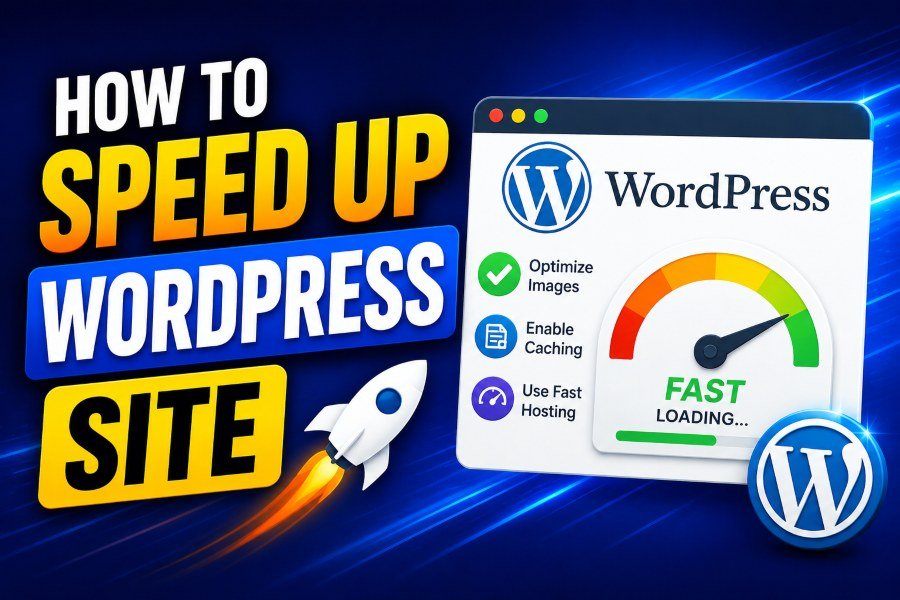
WordPress is one of the most widely used platforms for building websites, but it can become sluggish over time. If you’re looking for ways to speed up your WordPress site, you’ve come to the right place. A slow website not only hampers user experience but also hurts your SEO rankings.
Fortunately, there are several strategies and tools available that can significantly improve your WordPress site’s performance. Let’s explore the best ways to optimize your WordPress site and speed up its load time.
1. Caching: A Crucial First Step for Speeding Up Your WordPress Site
One of the most effective ways to improve your WordPress site’s performance is by implementing caching. Caching allows your site to store static versions of its content, reducing the time it takes to load for returning visitors. By serving a preloaded version of your site, caching plugins can reduce server load and page rendering time.
To enable caching, you can use plugins like WP Rocket. These plugins simplify caching and automatically apply performance best practices. With features like page caching, cache preloading, and browser caching, you can achieve a significant reduction in page load times. Additionally, many caching plugins offer features such as lazy-loading images and minification of CSS, JavaScript, and HTML files, further optimizing the site.
Moreover, WP Rocket comes with an intuitive setup that requires minimal technical knowledge, making it suitable for beginners and experts alike. Enabling caching can make your WordPress website load much faster, improving the user experience and boosting search engine rankings.
2. Image Optimization: Reducing Image Size Without Sacrificing Quality
Images are often the largest files on a website, making them a primary cause of slow page load times. To address this, optimizing your images is crucial. There are several ways to achieve image optimization:
- Compression: Compress images to reduce their file size without sacrificing quality. Tools like TinyPNG or ImageOptim can help reduce file sizes, making your site load faster.
- WebP Format: Consider converting your images to WebP, which offers better compression than PNG or JPEG. This reduces image size while maintaining a similar level of visual quality.
- Lazy Loading: Enable lazy loading for images so that they only load when the user scrolls to them. This prevents unnecessary images from loading at the initial page load.
For a more comprehensive solution, you can also utilize plugins like Smush or ShortPixel. These plugins automatically compress and optimize images without compromising their quality, improving your site’s performance significantly.
3. Choose a Fast Web Hosting Provider for Optimal Performance
Your hosting provider plays a significant role in your WordPress site’s speed. Choosing the right hosting environment ensures that your site can handle high traffic while providing fast load times. Shared hosting is often the most affordable option, but it comes with limitations on speed and server resources. If you’re serious about improving your website’s performance, it may be time to consider professional SEO services in the UK for higher ranking or upgrading to a more advanced hosting plan.
- Managed WordPress Hosting: Managed WordPress hosting services, such as Kinsta or WP Engine, offer high-performance servers optimized specifically for WordPress websites. These services often include enhanced caching, automatic updates, and server-side optimizations that boost site speed.
- Dedicated Hosting: For large-scale websites with high traffic, dedicated hosting provides dedicated resources, ensuring your website won’t slow down even with a large number of visitors.
Choosing the right hosting plan can provide your WordPress site with the stability and speed it needs to perform at its best. You may also want to explore eCommerce SEO for UK brands to boost your store’s performance further.
4. Minification and Concatenation: Reducing the Size of CSS, JavaScript, and HTML Files
Another important optimization technique is the minification of CSS, JavaScript, and HTML files. Minification is the process of removing unnecessary spaces, comments, and line breaks from these files, reducing their size and improving load times. This is especially important for websites that rely heavily on scripts and stylesheets.
Tools like Autoptimize and W3 Total Cache can help minify and concatenate these files automatically. Minification reduces the number of requests the browser has to make, which leads to faster page loading times.
Additionally, combining multiple CSS or JavaScript files into a single file (concatenation) can reduce the number of HTTP requests. This is especially beneficial for websites that rely on third-party plugins, as it reduces the overhead caused by multiple scripts.
5. Leverage a Content Delivery Network (CDN)
A Content Delivery Network (CDN) is a network of servers distributed across the globe that deliver your site’s content to users based on their geographic location. By using a CDN, you can ensure that your website loads quickly for users no matter where they are in the world.
CDNs cache static content like images, CSS, JavaScript, and videos on servers closer to the user, reducing latency and ensuring faster load times. Popular CDN providers include Cloudflare and KeyCDN. Most caching plugins, such as WP Rocket, also integrate seamlessly with CDNs to provide additional performance boosts.
Using a CDN will not only speed up your WordPress site but also provide a layer of protection against DDoS attacks and other security threats.
6. Enable GZIP Compression: Compressing Website Files for Faster Loading
Enabling GZIP compression is an effective way to reduce the size of your website’s files, allowing them to load faster. GZIP compresses HTML, CSS, and JavaScript files before they are sent to the browser, reducing the amount of data transferred over the network.
Most modern browsers support GZIP compression, and enabling it on your website is easy. You can activate GZIP compression through your website’s .htaccess file or use a caching plugin like WP Rocket to do it automatically.
By reducing file sizes, you can significantly improve your website’s performance, especially for users with slower internet connections.
7. Optimize WordPress Database
Over time, your WordPress database accumulates unnecessary data, such as post revisions, trashed posts, and spam comments. Cleaning up your database can reduce its size and improve performance.
Plugins like WP-Optimize allow you to schedule automatic cleanups, removing old data from your database. By optimizing your WordPress database regularly, you ensure that your site runs smoothly and efficiently.
In addition to cleaning up unnecessary data, you can also improve database performance by using efficient database queries and indexing.
8. Keep WordPress, Themes, and Plugins Updated
Keeping WordPress, themes, and plugins up to date is essential for maintaining the security and performance of your site. Updates often include bug fixes, security patches, and performance improvements that can enhance your site’s speed.
Ensure that you regularly check for updates in your WordPress dashboard. You can also enable automatic updates for WordPress core files, plugins, and themes to make this process easier.
9. Reduce HTTP Requests: Minimize External Resources
Every time a browser loads your page, it makes HTTP requests to the server to fetch files like images, scripts, and stylesheets. Too many HTTP requests can slow down your site.
To reduce HTTP requests, you can minimize the use of external resources like third-party scripts, fonts, and ads. Consider hosting important resources locally to reduce server requests and improve load times.
10. Remove Unnecessary Plugins and Themes
Having too many plugins installed on your WordPress site can negatively affect performance. Some plugins load unnecessary scripts and stylesheets, which increase the size of your pages and slow down load times.
Regularly audit your WordPress site and remove any plugins or themes that are no longer needed. Keeping your website lean and clean will result in faster load times.
Conclusion: Optimizing Your WordPress Site for Speed
In conclusion, speeding up your WordPress site is essential for providing a better user experience and improving SEO rankings. By implementing caching, optimizing images, choosing the right hosting, and using other optimization techniques like minification, CDN, and GZIP compression, you can drastically improve your site’s performance.
Remember that WordPress site optimization is an ongoing process. Regular updates, database optimization, and the use of efficient plugins are key to maintaining peak performance. For businesses looking to take their website’s performance to the next level, consider technical SEO services for UK brands. This will ensure that your site is not only fast but also optimized for better search engine visibility and user engagement.